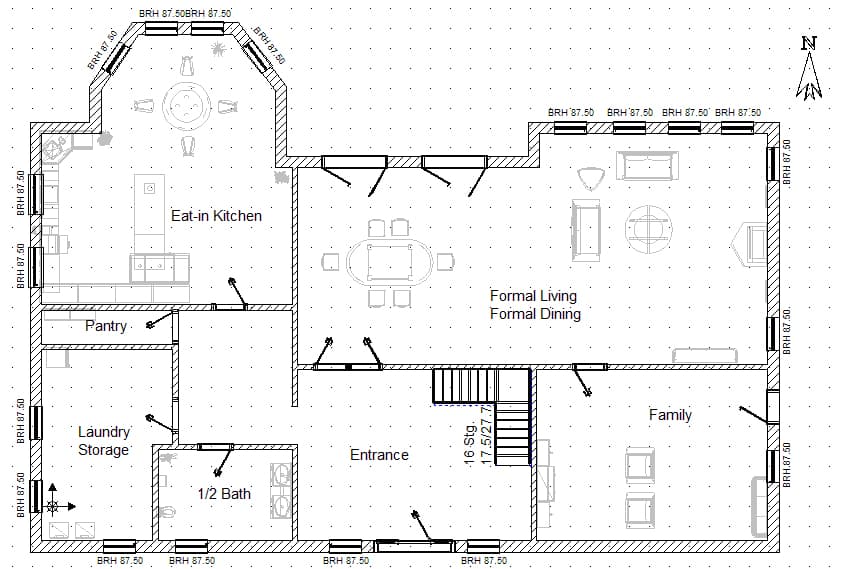
Product module

Cite drawings and images with verifiable OCR.

Converza connects answers and findings to pages, sheets, image crops, and OCR text so teams can audit visual evidence, not only PDF passages.

Visual traceability reduces uncertainty in scanned drawings.

When evidence lives inside an image, an old sheet, or a scanned PDF, citing the file is not enough. Teams need to see the exact crop that produced the answer.

Text buried in images

Notes, labels, and dimensions appear inside scanned drawings that may not have selectable text.

Weak audit trails

A reference to the whole file forces reviewers to open the sheet and manually find the detail.

Visual review

Reviewers validate OCR text, coordinates, and crop before accepting a critical answer.

Traceable OCR workflow

Converza processes the image, extracts OCR text, connects the answer to the visual crop, and preserves the evidence for review.

1

Process image

The drawing or scanned PDF becomes a searchable source with OCR and sheet metadata.

2

Extract crops

Each text block keeps coordinates, OCR confidence, and a relationship to page or sheet.

3

Cite image

The answer links to the exact visual crop, not only the file name.

4

Human review

The team opens the citation, checks the highlight, and decides whether to accept, correct, or clarify.

OCR traceability capabilities

Built to audit visual evidence in drawings, scans, and technical images.

  • OCR over scanned PDFs and images
  • Citations to visual crops
  • Coordinates and confidence by OCR block
  • Source by page, sheet, image, or section
  • Human review before using the result

Traceable OCR in action

Realistic scenarios show how an answer can cite a scanned drawing region, not only document text.

View 1

Visual source map

The scanned sheet appears with OCR crop, coordinates, and supporting source.

Workflow

  1. 1Open image
  2. 2Review crop
  3. 3Validate coordinates

View 2

Visual citation click

The citation opens the drawing and highlights the region the OCR used to answer.

Workflow

  1. 1Click citation
  2. 2Open sheet
  3. 3View highlight

View 3

Auditable OCR answer

The answer keeps extracted text, confidence, and crop available for professional review.

Workflow

  1. 1Read answer
  2. 2View OCR
  3. 3Cross-check source

View 4

Human review

The team confirms whether the OCR and visual crop support the finding before using it.

Workflow

  1. 1Validate crop
  2. 2Accept finding
  3. 3Record decision

Test traceable OCR with your drawings.

Book a demo and review a scanned drawing or technical image from your team.